

 Amie Dawson, Ph.D.
Sync is a wearable vibrator that stimulates the female G-spot and clitoris simultaneously. It has 2 adjustable arms, one of which is internal and targets the G-spot, the other one is placed on the labia and targets the clitoris. And while a male partner is penetrating the vagina he can also feel the vibrations. The idea is that both partners can enjoy more intense and pleasurable sensations during intercourse, and thus, spice up their love game. Using Sync is very similar to the new improved version We-Vibe Sync 2.

There are 3 different ways one can control the We-Vibe Sync:
- Using the single button on top of the U-shaped vibrator
- Using the remote you’ll find in the storage box of Sync
- Using the We-Connect app, available for free in the App Store and Google Play Store
Operating it manually
The power button on top of your Sync activates the vibrator once you press it fast for a second.
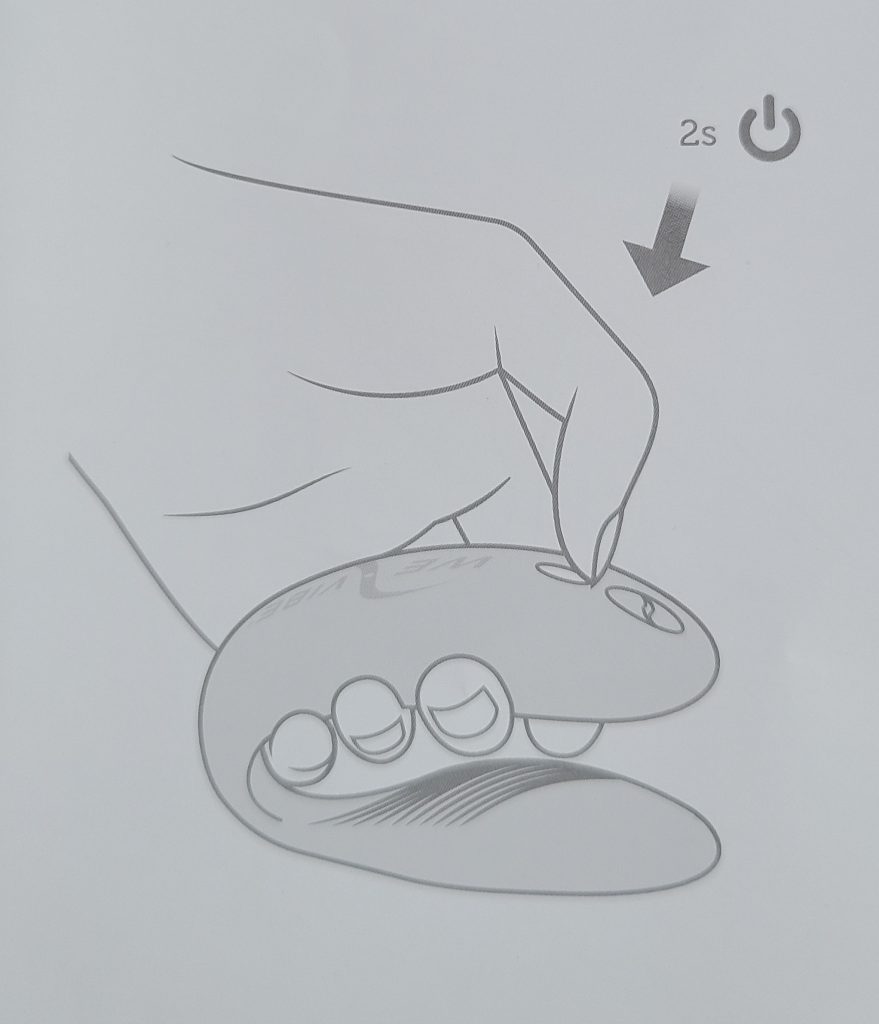
Pressing it again, in the same manner, changes the pattern of vibration. Once you’ve selected the perfect pattern, you can insert the thinner arm of the vibrator into your vagina and place the wider arm on your labia.
Pressing the power for a few seconds again turns off your Sync.
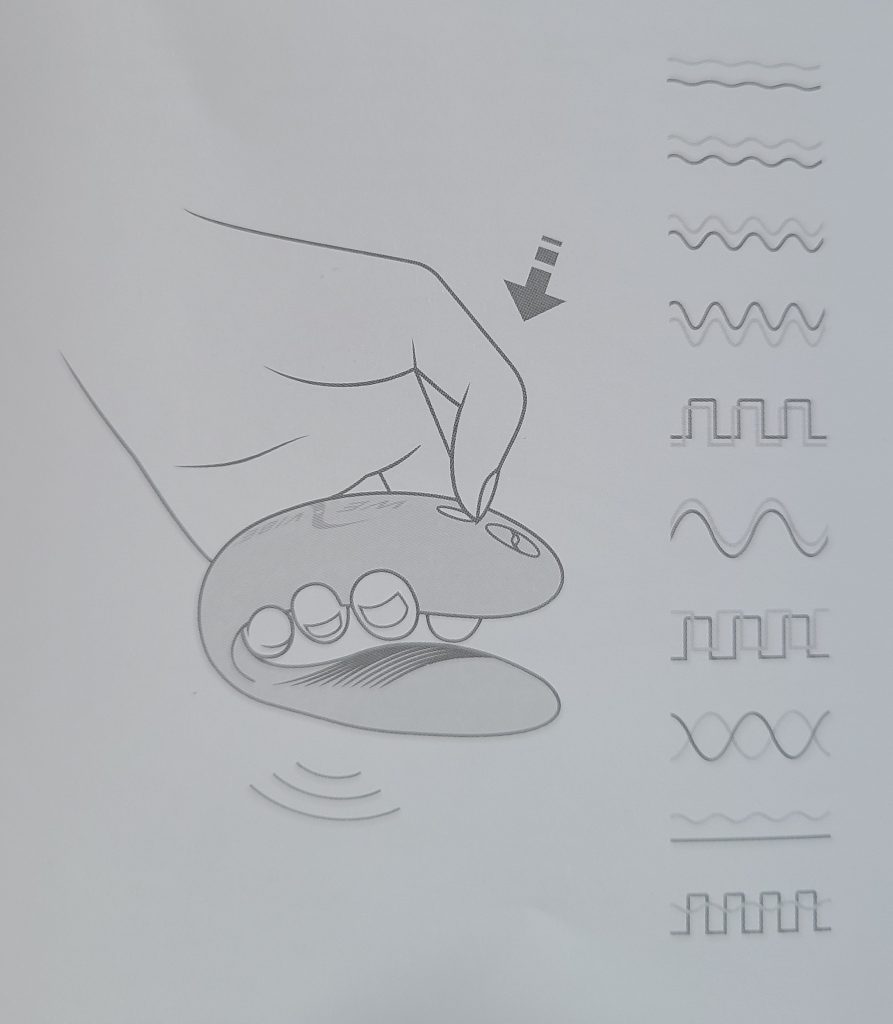
You can change the patterns easily by pushing the button on the top of the vibrator once fast.
Using the remote control
The remote has 4 push buttons for increasing or decreasing the intensity of stimulation and for switching between the 10 preset patterns of vibration (it works from up to 3 meters distance).
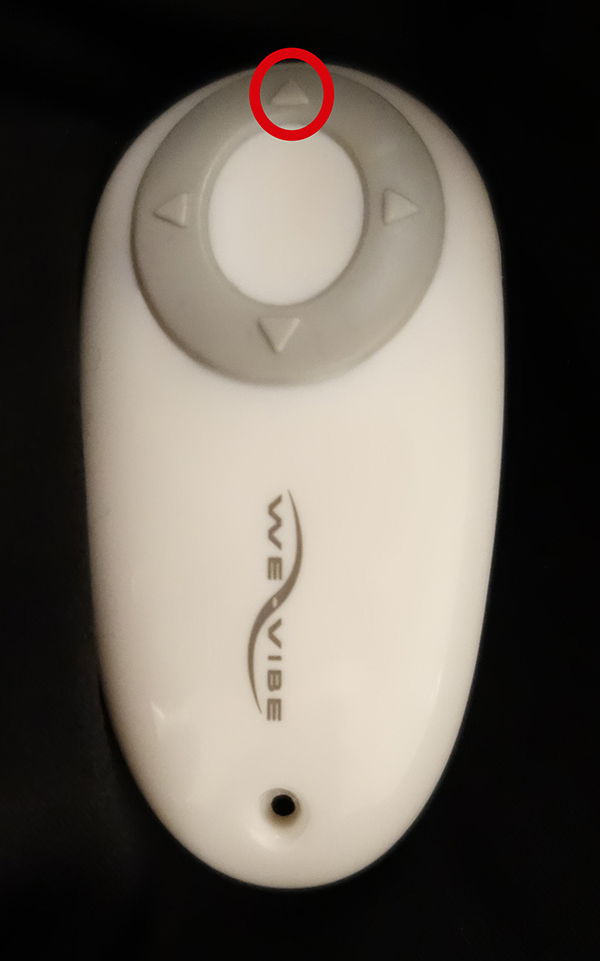
Pressing the button on top of the remote activates the vibrator.
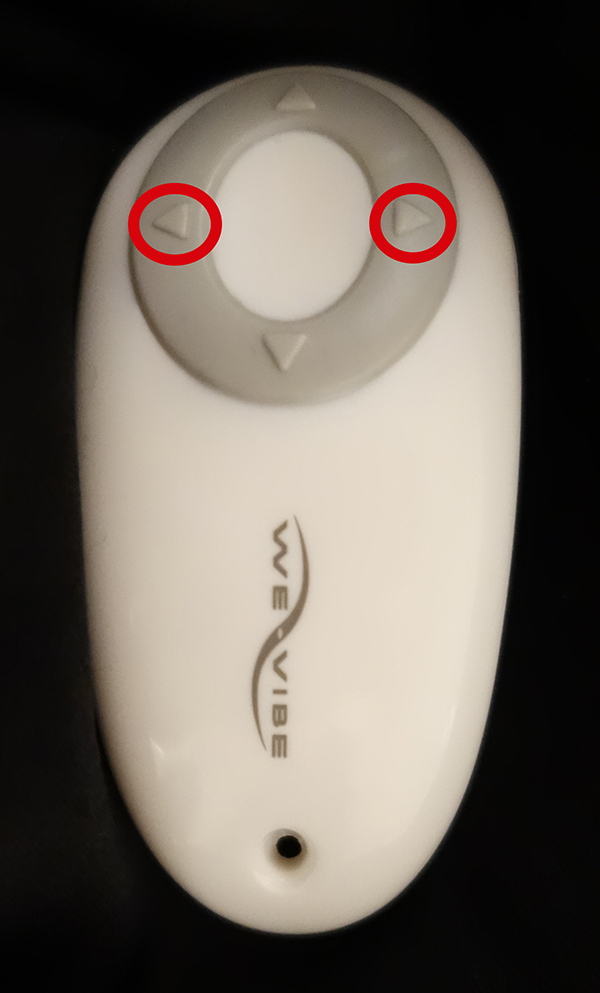
Then you can change the pattern of vibration using the 2 side buttons
To increase/decrease the tempo, use a single push of the up/down button.
To turn off the device using the remote, just press the button, located at the bottom for 2 or 3 seconds.
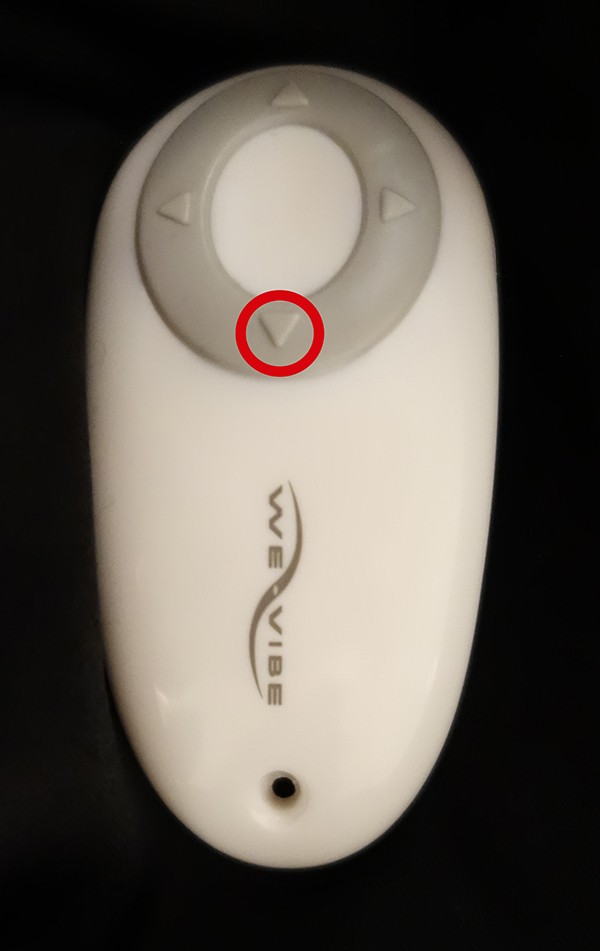
Important note: If your We-Vibe Sync is connected via Bluetooth to your phone, the remote will not work. You need to disconnect your phone from the device in order to make the remote work as intended. Here is more on how to use the remote control with the Sync.
Controlling the vibrator trough the app
The We-Connect application allows you to use the maximum functionalities of the vibrator, including:
- pairing with your intimate partner and allowing him/her the control over your Sync from an unlimited distance;
- switching between the preset patterns at the touch of the phone screen;
- creating your own custom patterns and saving them for your future sensual sessions;
- integrating the vibrations of Sync to your favorite songs;
- integrating the vibrations of Sync to recorded speech;
- chatting with your lover during your session;
- make video connection with your lover
The We-Connect app connects your phone and the vibrator via Bluetooth. And once you’re connected, you can easily invite your partner and let him/her control your toy from an unlimited distance. A bit more detail on how to connect We-vibe Sync with the app or with a partner here.
Here is a quick demo on ho you can use your fingers to change the vibration on both arms trough the We-Connect app.
This remote-controlled vibrator will certainly inspire you to try and enjoy new things while having sex.
Tips on how to use We-Vibe Sync
We-Vibe Sync: How it works?
Having the petite size of We-Vibe Sync, its’ performance is extra powerful and stimulating for both partners. However, for the female partner, the experience is considerably more intense, having that the vibrator ‘hugs’ both the clitoris and G-spot area not allowing the vibrator to slip or get displaced. For the male partner, the vaginal penetration provides more friction, due to the presence of the internal vibrating arm, and he’ll also experience the stimulation coming from it, enhancing his sexual pleasure.
The We-Vibe Sync is quite a versatile sex toy: it can be used for penis in vagina sex, for solo masturbation, and during anal sex.
How should We-Vibe Sync fit?
The two arms for clitoral and G-spot stimulation are both bendable. The aim is to fit most body shapes, no matter the female anatomy. Once you find the most comfortable bending point, just leave the Sync as bent and it will stay in the same position during your future sessions.
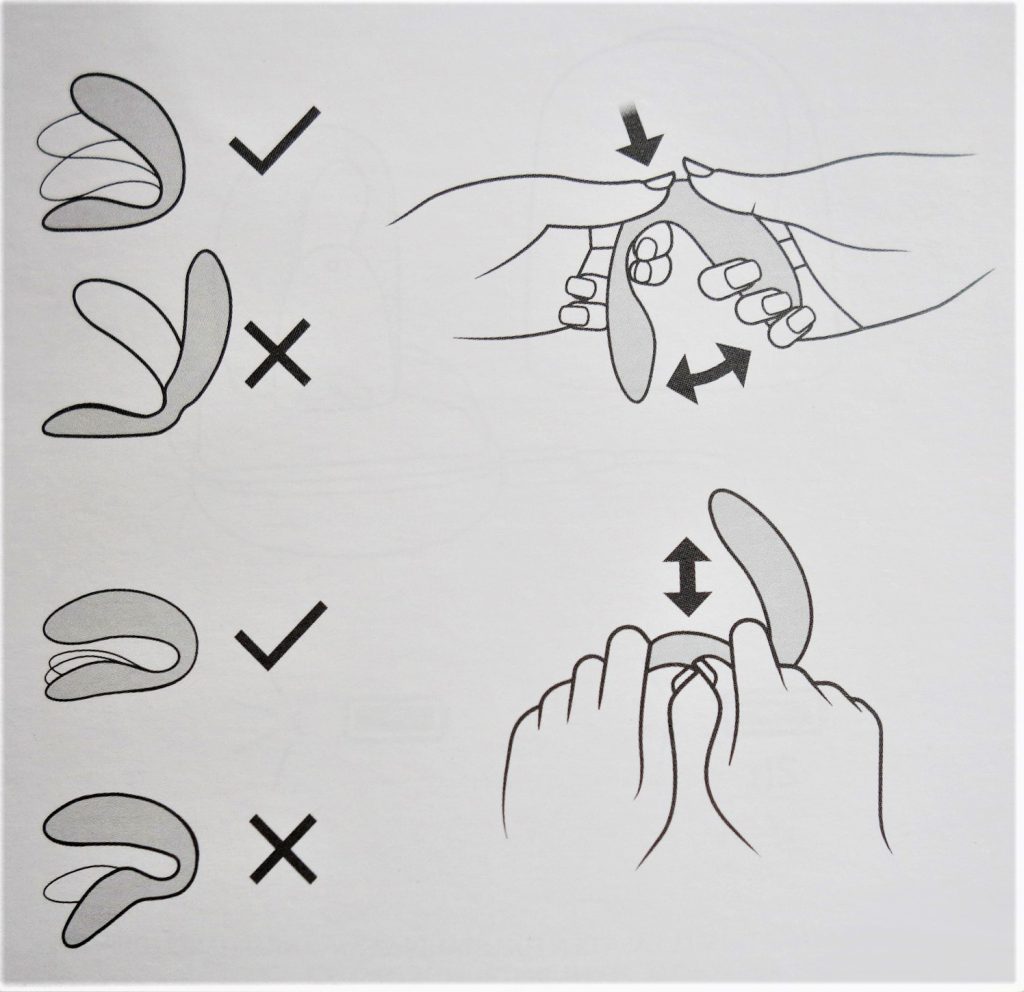
Note that if you are using too much effort while bending your toy, you might damage it. Also, remember that bending should be performed to the point your vibrator creates about a 70° angle, so try not to bend it too aggressively. After all, the goal is to make it fit as comfortably as possible. A bit more on just how adjustable We-Vibe Sync is.
How to turn on We-Vibe Sync with remote?
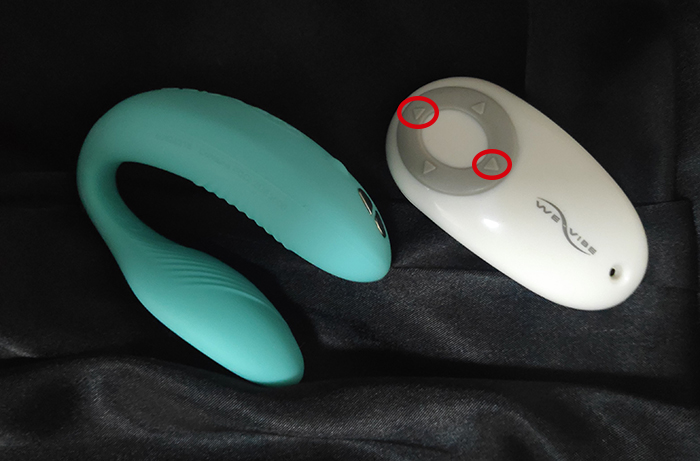
Turning on the We-Vibe Sync using the remote is possible after pressing the button shown below for 2 or 3 seconds. Turning it off happens after pressing the opposite button for 2 or 3 seconds.
Toy sleep timeout is another function the vibrator has.
How Adjustable is We-Vibe Sync
You shouldn’t try bending your Sync in all possible directions. Stick to the instructions below, the maximum angle you should open your Sync(and Sync 2) is about 70°. This is perfectly enough to fit most body shapes, hug both your G-spot and clitoris and stay comfortably put without slipping or moving around.
We-Vibe Sync – How Wide Can It Be Opened?
The right and wrong ways to adjust this remote-control vibrator you can see in the photo below:
How To Use We-Vibe Sync Adjustable?
This wearable U-shaped vibrator can be used in 3 different ways once you have adjusted it to fit your G-spot and clitoris. The main idea behind Sync is to be worn during sexual intercourse so that both the female and the male partner can enjoy the sensual vibrations.
The clitoris and the G-spot are massaged simultaneously via the adjustable arms of the vibrator. Each of these arms can perform individually, and this setting can be adjusted using the We-Connect app. Using the push button on top of the Sync or controlling it via the remote lets you switch through the different patterns of vibration but both arms vibe simultaneously. You can check the full We-Vibe Sync review here.
As for the male partner, he can feel the vibrations coming from the internal G-spot arm, making his experience more intense and sensual. The design of the internal art makes it rest against the inner anterior wall of the vagina, out of the way of the penis. Additionally, the male partner experiences more friction while moving inside the vagina, since the arm of the vibrator will minimize the space while the penis penetrated the vagina.
The second way you may want to incorporate the Sync into your sex life is by wearing it vaginally during anal sex – this way your partner experiences less of the vibrations coming from the vibrator but you will be stimulated in 3 different ways simultaneously – vaginally and anally and on the clit.
The third option is using the Sync for solo stimulation – you can do this using the power button, the remote, or the app. You can enjoy masturbating solo or let your partner control your orgasms – it is all up to you.
Remember that whatever kind of stimulation you have chosen to enjoy, you can also perform while in the shower, a pool, or jacuzzi, since your wearable Sync is completely waterproof!
Using We-Vibe Sync Remote
The new improved version We-Vibe Sync 2 has a silicone remote that is grey.
What Does The We-Vibe Sync Remote Look Like?
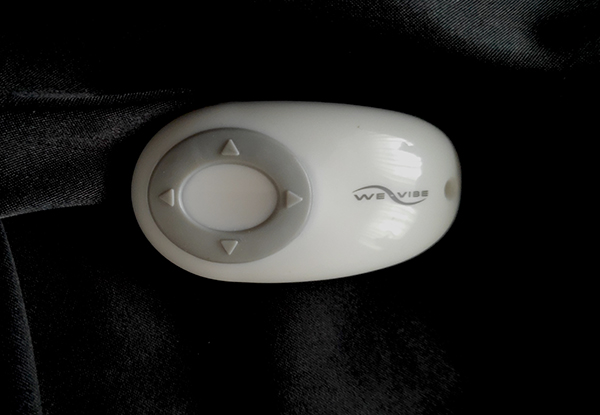
Sync’s remote has a sleek, slightly curved design with 4 buttons for controlling the vibrator. It is twice as small as the Sync itself and can control the toy from a 3-meter distance.
You’ll find the remote of the Sync Vibrator in the charging box, which you’ll receive along with the vibrator. The remote doesn’t need charging, the special pocket, where it can be placed is for the sole purpose to be able to fit in the same box where the vibrator should be stored.
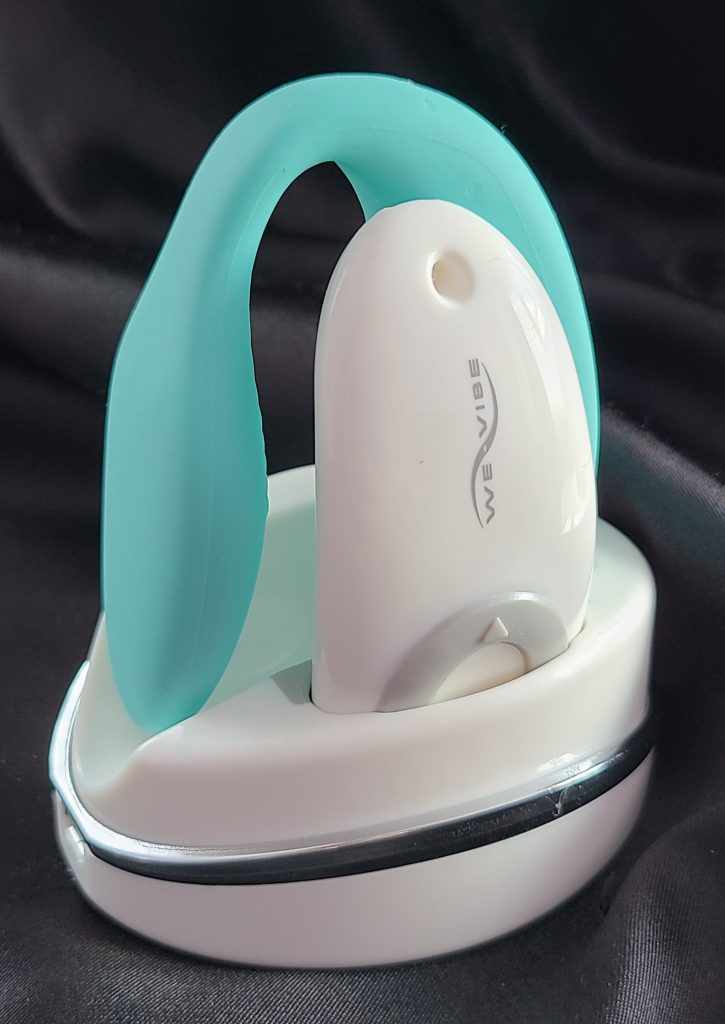
One of the reasons the remote control doesn’t need charging is because it has its own battery, designed to last several years. In case the battery of your remote loses power, you can easily replace it, using any commercially available button cell, model CR2032.
We-Vibe Sync How To Use The Remote?
To connect the remote and the Sync vibrator for the first time, press and hold any button on the remote for 5 seconds. The light indicator on your remote will flash 3 times and the Sync will vibrate 3 times once the connection is successful.
The remote of the Sync vibrator can be controlled through the four clickable buttons, located in the front part of the device.
For turning on your Sync vibe, press the below button once. A single vibration will indicate the Sync is ready.
That same button is used for increasing the intensity of stimulation.
With the 2 side buttons, you can go through the 10 preset vibrations.
The below button allows you to decrease the intensity of the vibrations and it turns off the vibrator once you click it for 2-3 seconds.
What If My Remote Gets Wet?
If you try to use the remote control underwater or accidentally drop it into the water, it may get water inside. Open it, remove the battery, and make sure to drain any of the water remaining in the device.
After you make sure the remote and its battery are completely dry, carefully adjust them, lock the case, and then start using it again.
If the remote no longer works, you can contact the We-Vibe company and buy a replacement.
Charging We-Vibe Sync [All You Need To Know]
There is a new improved version, read my We-Vibe Sync 2 review here.
Important note: even though your Sync vibrator is waterproof, you should remember that both it’s remote control and the charging base should be kept away from water. Before charging your Sync, make sure it is completely dry.
How To Charge We-Vibe Sync?
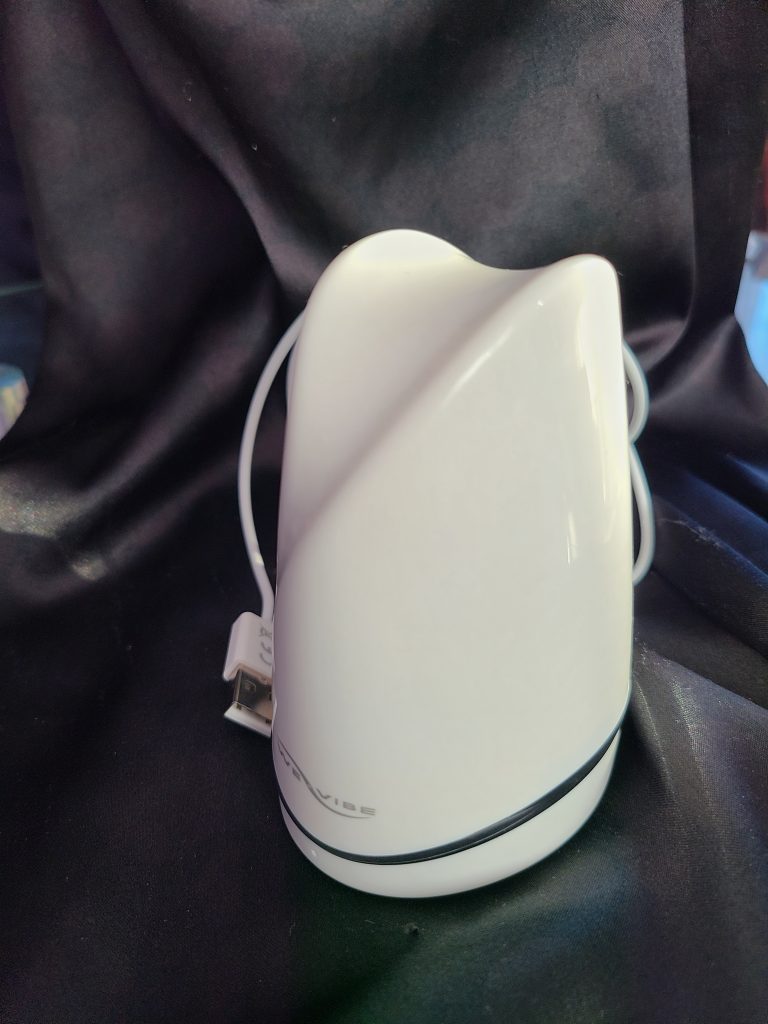
The We-Vibe Sync should gain additional credits for its charger, as it’s quite special. This small white box holds both the vibrator and the remote in one place, and it also charges the Sync vibrator (when connected via USB to a power source).
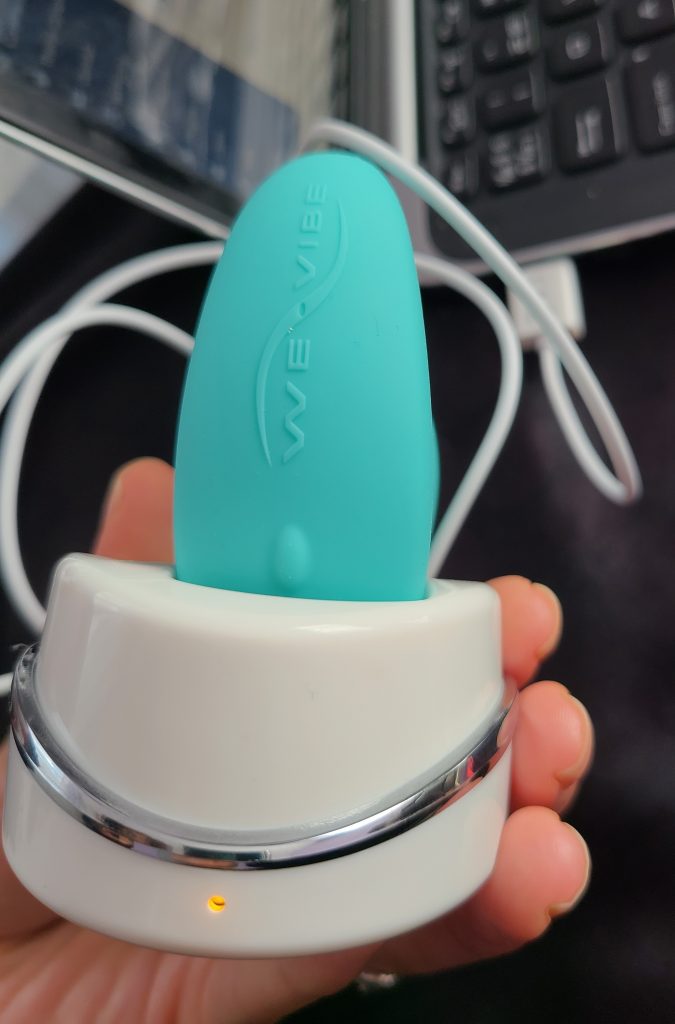
You could have this charger in the corner of your room, and no one would really know unless they happened to see the We-Vibe branding and know the kind of products they sell.
Charging this unique vibrator is a super easy and fun-to-perform procedure. Along with your vibrator, you’ll receive the charging base of the Sync, where you should place both the toy and its’ remote (there is room to store the remote in the side pocket) so you can charge the Sync and keep its’ remote protected. You’ll also receive a USB cable that you’ll need for connecting the charging base to your laptop or a power outlet.
Once connected, you’ll notice the yellow blinking light at the base of the charger. This means your toy is currently charging.
Note that if the Sync is placed off the storage place, it will retain its charge for several months, but it will gradually diminish over time. For best performance and long battery life, it is recommended to recharge its’ battery before the vibrations weaken.
Remember that the discreet storage box of the Sync remote vibrator can be also used as a discreet and convenient travel case.
How Do I Know When The We-Vibe Sync Is Done Charging?
If you start seeing the yellow light on and it’s no longer blinking, this indicates your Sync is fully charged.
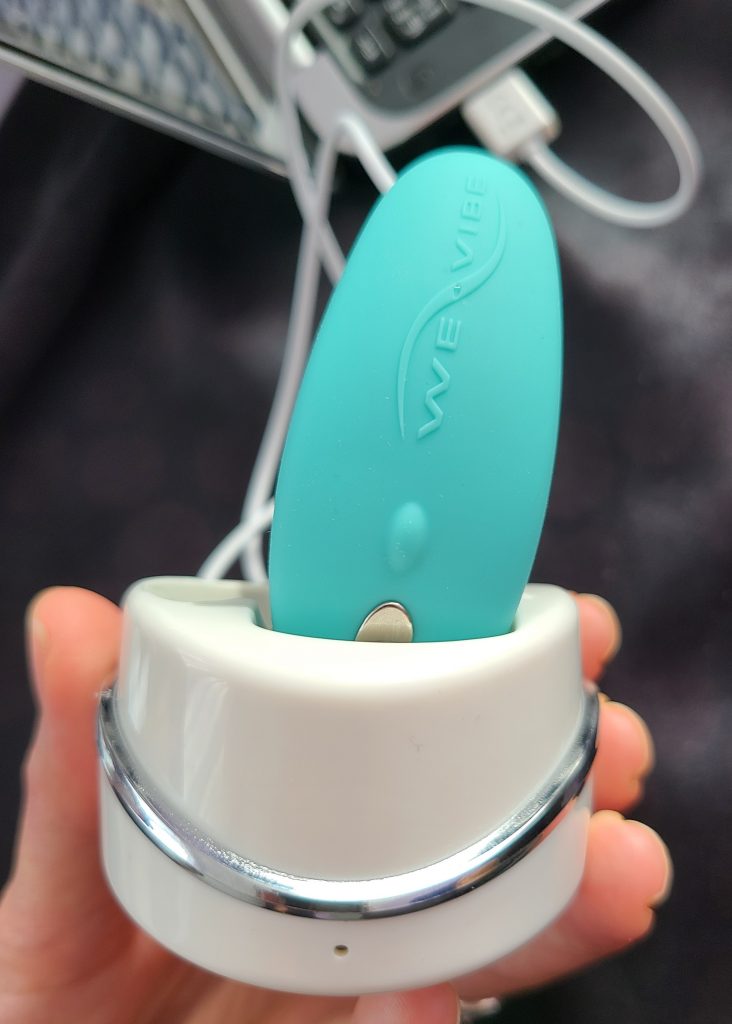
If the yellow light is off, this means your device is not charging due to lack of power, or the Sync is incorrectly inserted. The magnetic charger at the base of the box uses charging contacts (located on the vibrators’ larger arm). They should be placed correctly (they should have direct contact with one another).
How To Open Charger Case For We-Vibe Sync?
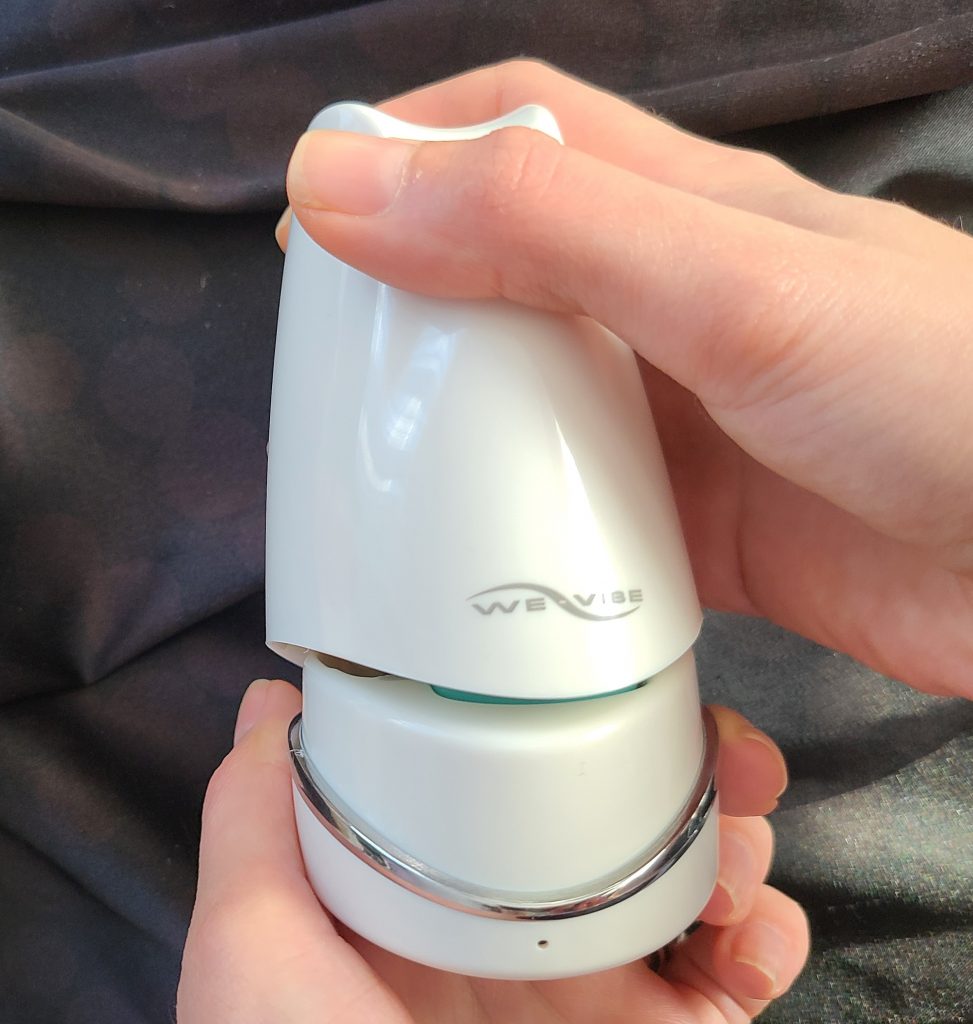
Hold both parts of the box (the lid and the base). Use one hand to detach the lid from the base – this doesn’t require you to use any extra effort – and the charger case will open.
How Long To Charge We-Vibe Sync?
A complete charge takes up to 2 hours, depending on the charge remaining in your Sync vibrator. This gives you approximately 90 minutes of continuous stimulation.
How to check how much battery power has left in your Sync vibe?
Your vibrator needs to be connected to the We-Connect app. You can click on the hamburger menu at the top left corner or the Sync menu at the bottom left corner.

Check the full guide on how to use the We-Vibe Sync here.
How to clean, care and store the We-Vibe Sync
Since your Sync vibe is made of non-porous, body-safe silicone, you can easily clean it using clean water and soap. If you wish, you can also clean it with a sex toy cleaner.
You shouldn’t boil, bake, microwave, or put your We-Vibe Sync(there is a new version We-Vibe Sync 2), the charging base, or the remote control in a dishwasher.
Some users suggest disinfecting the Sync in 10% bleach solution but this is not really necessary – a careful wash under running water, using soap will do perfectly fine.
Ensure you clean the vibrator before and after each use to avoid bacterial proliferation. Once you have cleaned your toy, make sure the Sync is completely dry before you place it into its’ storage box.
How to take care of your Sync?
The storage box is the best place for your vibrator if you’re not using it.
If you’re using your Sync daily, have the charging base plugged in so the charge is automatically topped up as needed.
Once your Sync is done charging(here is how to charge it properly), you should unplug the charging base so that your vibrator performs optimally for a prolonged period of time.
How to store the Sync?
We-Vibe Sync comes with its’ white luxury storage box. This box is basically both Sync’s storage box and charging base. It is highly recommended to keep the Sync there with the lid on. This way, you’ll protect this remote control vibrator from dust and other particles that may come to contact with the toy.
There’s also a special pocket for the remote of Sync – when inserted, it won’t charge as it already has its’ own batteries that should last about several years.
Add comment